lemonia.org - mail notice 2014-02
Password reset time!
Yes, the time has come for everyone to change their passwords. Partly this is because some users' passwords have leaked to Bad People who use them to send spam. This lands us in hot water when people complain to our hosting provider.
So apologies for the inconvenience but you won't be able to send any new mail until you chose a new password. You can still read your mail in the meantime.
Our password change process (see below) will help you choose one which is hopefully not easy for other people to guess.
If you have problems with the process please get in touch by sending mail to control@lemonia.org. This will still work even though other mail sending has been disabled.
published 2014-08-20 17:42 +0700
How to change your password
-
Aim your web browser at https://mail.lemonia.org/password. If you've not logged into webmail recently you will be redirected to the login page, which looks like this:
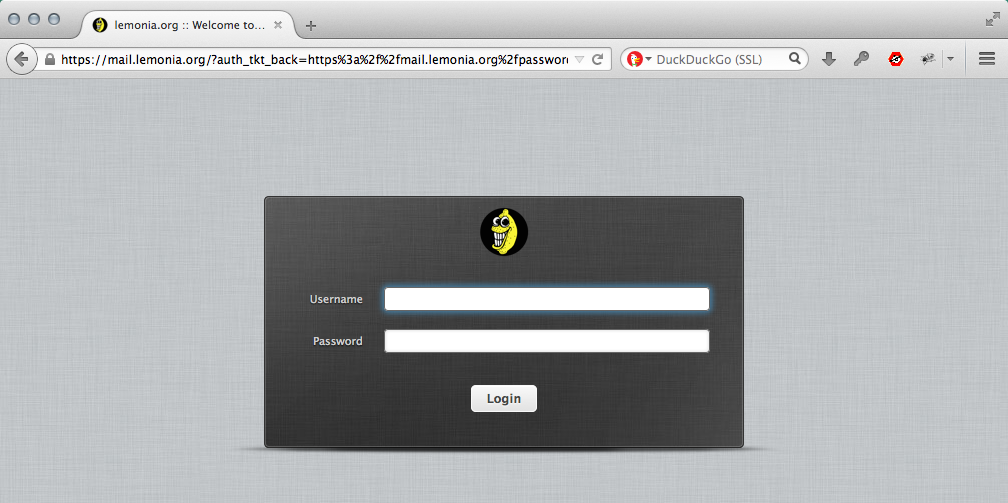
Please log in using your username and current password.
-
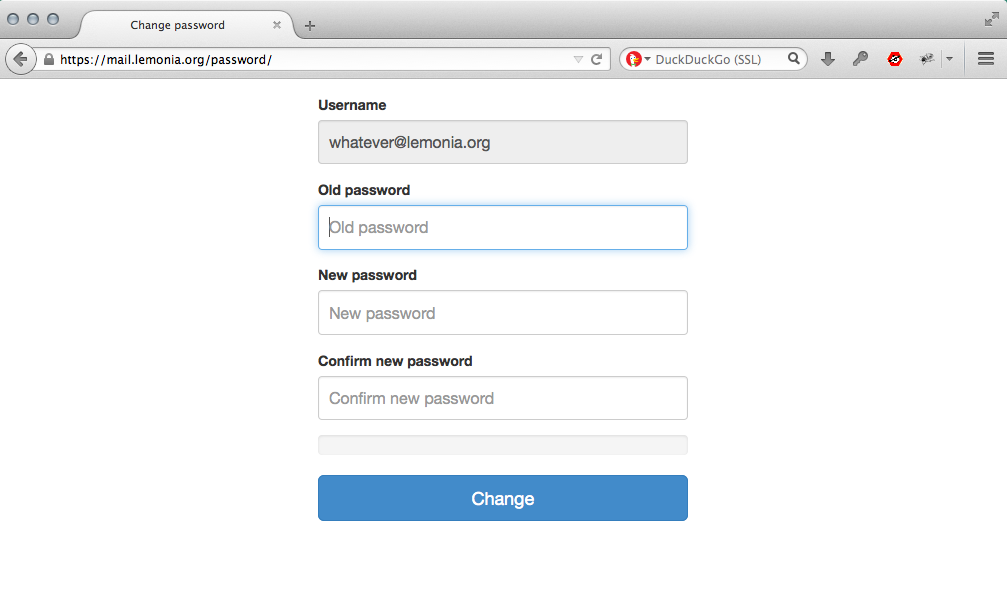
You will now see the password change page. It looks like this:
-
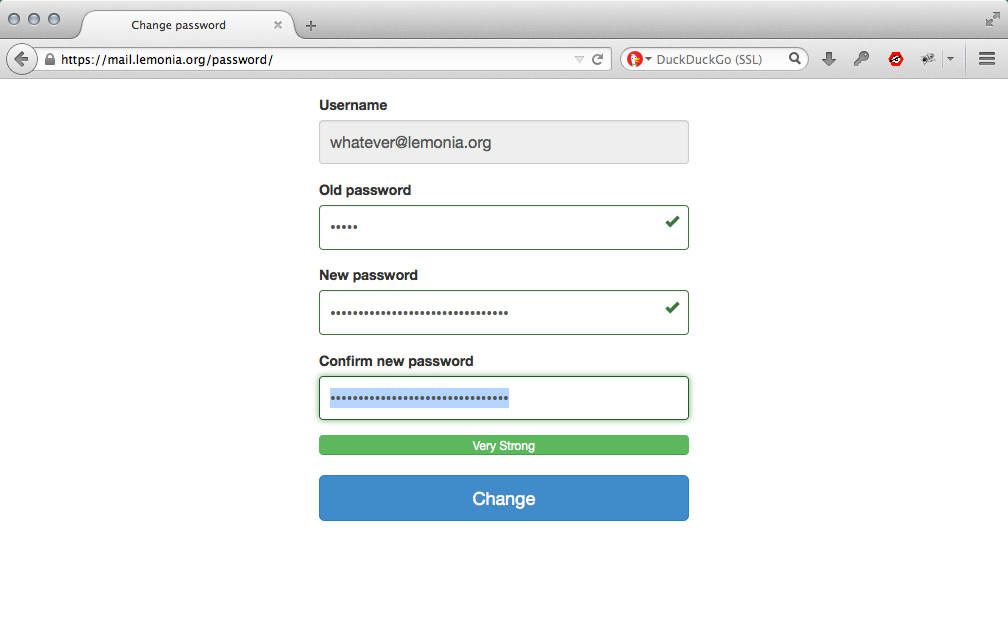
Enter your old password and choose a new one. You must enter a password that's a least 10 characters long, and the strength-o-meter will guide you. The form won't allow you to complete the process unless your new password is rated 'Medium' or stronger.
-
When you've satisfied the strangely vague requirements of the thing, click or select 'Change'.
-
The page will reload and confirm that your password's changed.

-
That's it, you've finished. Close the web browser and reach for a drink of your choice.
You'll need to update any programs you use to read mail (Thunderbird, Outlook etc). They will likely ask you for your new password the next time they try to fetch your mail.
- Thank you!
Problems?
Please send us a mail at control@lemonia.org and we'll try to help.
Notes
The password change form needs Javascript enabled in your browser for the strength-o-meter to work. If you know what this means and you've turned Javascript off then you'll know what to do, and we're hoping you'll want to not set a weak password regardless, yes? If not then please ask a grownup.